CoTester vs Playwright MCP: Which Automation Tool is Better for QA Teams?

Scaling test automation across an enterprise team involves more than generating tests.
It means keeping them stable as your application changes, ensuring the right people can contribute without creating bottlenecks, and managing the maintenance overhead that grows with every release.
CoTester by TestGrid is built for that problem. Teams evaluating it also often encounter Playwright MCP, a widely adopted AI browser automation tool that overlaps in some areas but operates very differently in practice.
If you’re keen to learn about Playwright MCP vs CoTester, this comparison blog post is for you. We cover both tools across various criteria that matter most for enterprise QA teams.
Let’s get started.
CoTester vs Playwright MCP Comparison
| Category | CoTester | Playwright MCP |
| Core purpose | Maintains test coverage across application workflows and teams | Speeds up creation and execution of test scripts |
| How tests start | From requirements (Jira, specs, plain language) | From prompts, recorded actions, or code |
| Primary unit of testing | Coverage tied to user flows | Code-based test scripts |
| Handling UI changes | Detects changes during execution and adapts tests | Tests fail when UI changes require script updates |
| Maintenance over time | Reduced; many locator issues handled automatically | Ongoing manual updates as application evolves |
| Who contributes | QA, product, and engineering can all participate | Primarily developers and SDETs |
| Execution model | Managed platform with built-in infrastructure | Runs within your own CI/CD pipelines and environments |
| Setup effort | Faster to get started with less configuration | Requires setup of environments and pipelines |
| API and non-UI testing | Included within the same system | Requires additional tooling or setup |
| Debugging and visibility | Logs, reports, and coverage mapped to requirements | Trace viewer, logs, and step-level debugging |
| Control and flexibility | Structured workflows with optional code control | Full flexibility over test logic and framework |
| Scaling approach | Platform manages most scaling across tests and environments | Scaling handled through your infrastructure |
| Best suited for | Teams managing multiple workflows and shared ownership of testing | Developer-led teams building custom automation frameworks |
Overview
CoTester: Purpose-built AI agent for enterprise test automation
CoTester is an AI-powered software testing agent by TestGrid. It learns from your product context, such as Jira stories, requirement documents, live application URLs, or plain-language inputs, and converts them into executable test cases within a unified testing workflow.
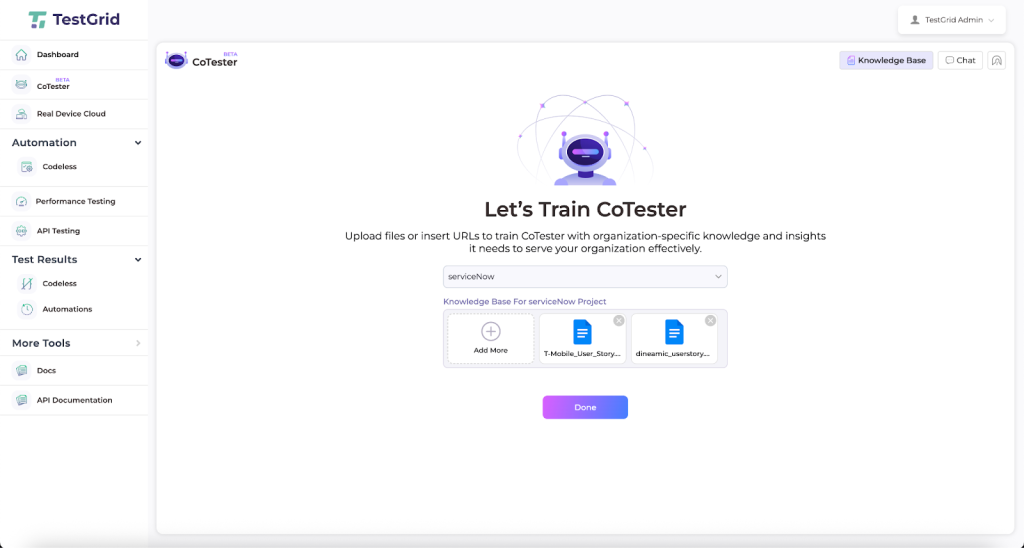
Unlike traditional automation testing tools that rely on predefined scripts, CoTester understands intent conversationally, allowing both technical and non-technical team members to generate and refine tests without rigid syntax.
As your application evolves, CoTester adapts alongside it, updating and maintaining test stability through its self-healing execution engine, AgentRx, which detects UI changes and resolves them in real time before they disrupt test runs.
Playwright MCP: AI-powered browser automation for developer workflows
Playwright MCP is a Model Context Protocol server that gives AI agents access to browser automation through Playwright.
You connect an AI agent to the MCP server, and it can navigate pages, interact with elements, inspect the accessibility tree, and generate test scripts from prompts. Tests are stored as code in your repository and run against Chromium, Firefox, or WebKit.
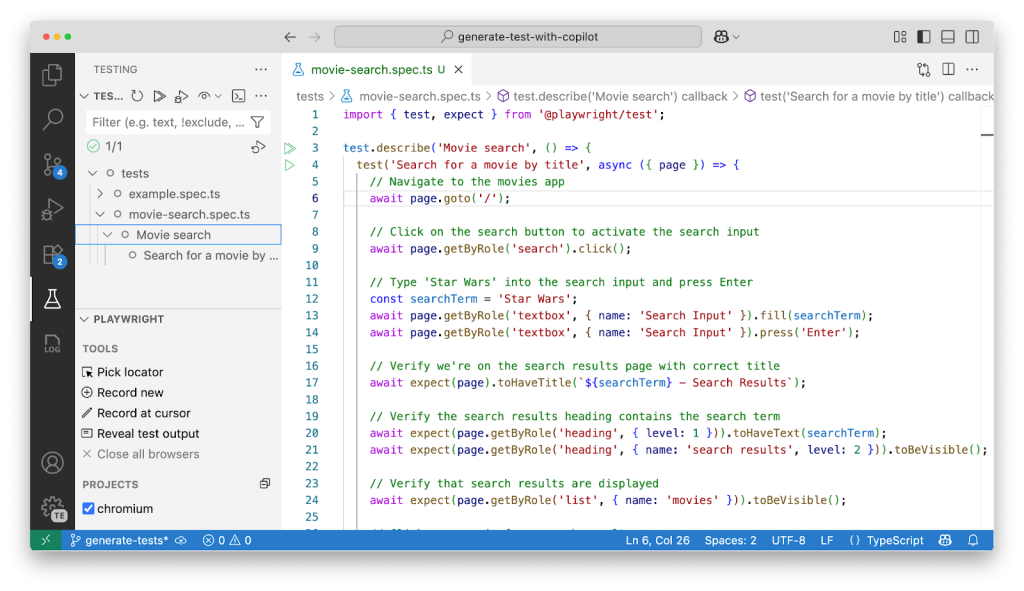
Playwright MCP is better suited for agentic testing loops that benefit from persistent browser state and iterative reasoning, such as exploratory automation and longer autonomous workflows.
On the other hand, API and non-UI test automation require additional setup or complementary tools.
Roles and Access Modes
CoTester: Three access modes across technical and non-technical roles
CoTester is designed for cross-functional teams, enabling both technical and non-technical contributors to participate in test creation and maintenance.
For instance, product managers and business analysts can generate and review test cases directly from requirements using plain language, while QA engineers and SDETs can refine, extend, and customize test scripts through structured workflows and code-level control.
By aligning testing with requirements rather than scripts, CoTester minimizes handoffs and improves coverage decisions early in the development cycle.
Playwright MCP: Engineer-owned workflows across multiple language stacks
Playwright MCP operates within developer workflows. Maintaining test automation code requires scripting knowledge — your engineers author, update, and manage the test suite.
Playwright supports TypeScript, JavaScript, Java, Python, and .NET, so your team is not locked into a specific language stack.
Your business stakeholders can define what needs to be tested, but test execution and maintenance are your engineers’ responsibilities, similar to other tools like Playwright MCP.
Requirements-Driven Test Generation
CoTester: From Jira stories and specs to executable tests
CoTester creates test cases in several ways:
- Upload a Jira story, spec document, or test plan in PDF, Word, or CSV format
- Paste a URL to a staging or production page, and CoTester will scan it to generate relevant test cases (This method is useful for testing web forms, flows, or page-specific validation)
- Describe a workflow in plain language directly in the chat interface
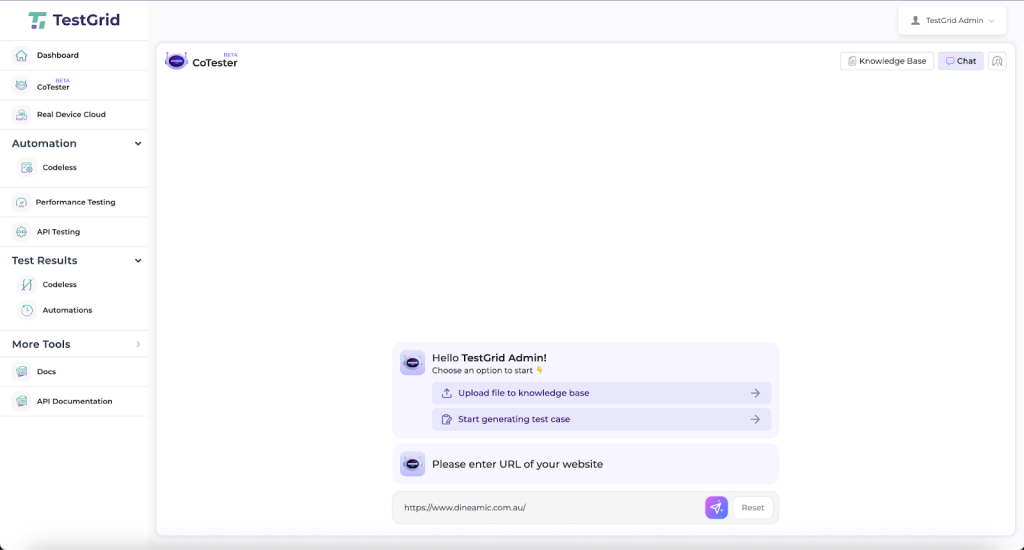
It interprets intent, acceptance criteria, and user flows to produce structured test cases your team can review, execute, or extend into test automation. This context-aware approach improves both the relevance of generated tests and their adaptability over time.
All uploaded files and derived assets are stored in a searchable repository. You can add, update, or modify your knowledge base without overwriting existing data.
Playwright MCP: From prompts and recorded interactions to scripts
Playwright MCP creates tests from prompts and browser interactions. Basically, you describe what you want to test, the AI model translates that into Playwright script steps, and those steps execute against your application.
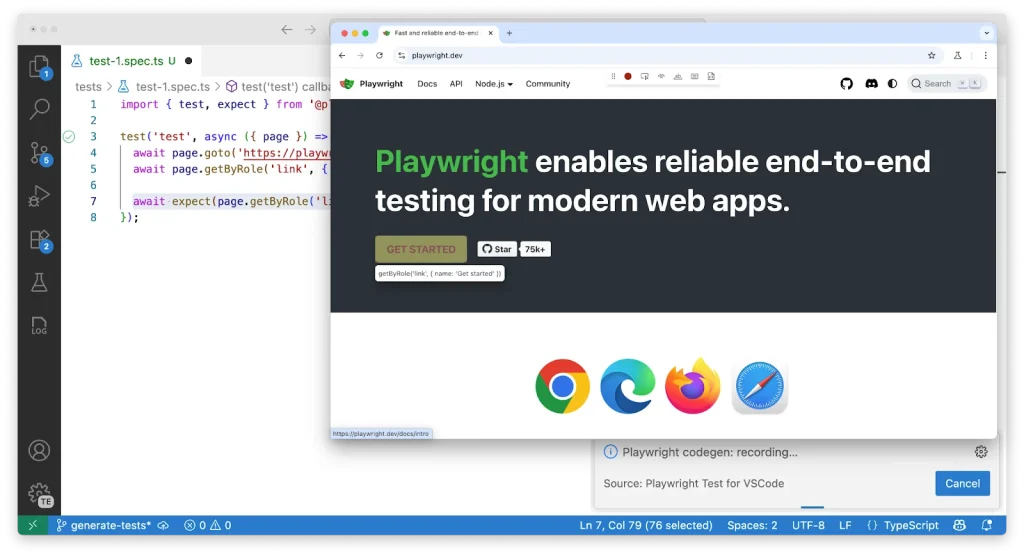
You can also use Playwright’s Codegen to record interactions directly and produce scripts in real time.
Self-Healing and UI Adaptability
CoTester: Autonomous locator recovery through AgentRx
CoTester uses AgentRx, a self-healing execution engine powered by a Vision Language Model, to detect and resolve UI changes during test runs.
AgentRx analyzes both DOM structure and on-screen visuals to identify the intended target and update locator strategies in real time. It recognizes elements even when attributes, labels, layouts, or surrounding structures change, including full redesigns.
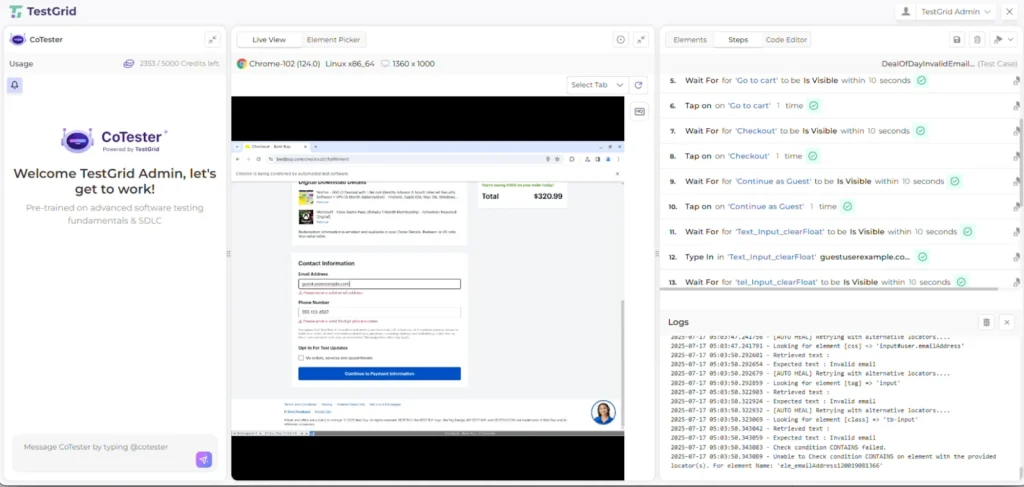
When changes occur, it rewrites locator logic in milliseconds and continues execution without disrupting downstream pipelines.
It handles dynamic IDs, layout shifts, localization updates, icon-only controls, and unexpected pop-ups, with ~95% of locator failures auto-healed across 3,000,000+ executions on Chrome, Firefox, Safari, and Edge.
Playwright MCP: Snapshot-based stability, manual recovery on failure
Playwright MCP works from structured accessibility tree snapshots rather than pixel-based input, which reduces ambiguity common with screenshot-based approaches and makes element recognition more stable across minor variations.
When UI changes break a test, it fails. Your team reviews the failure, updates the script, and reruns. Debugging tools like Trace Viewer, step logs, and HTML reports help diagnose issues. However, the recovery remains manual.
Execution Oversight
CoTester: Human checkpoints built into the execution flow
CoTester pauses at critical checkpoints during execution to validate how tests proceed, helping you and your team maintain control over test automation outcomes.
Playwright MCP: Control through engineering and CI discipline
Playwright MCP has no built-in checkpoint or approval mechanism. Test execution is triggered by your CI pipeline or your prompts. Control is exercised through your own engineering and process discipline rather than enforced by the tool.
Reporting and Observability
CoTester: Requirement-linked reports with automatic bug surfacing
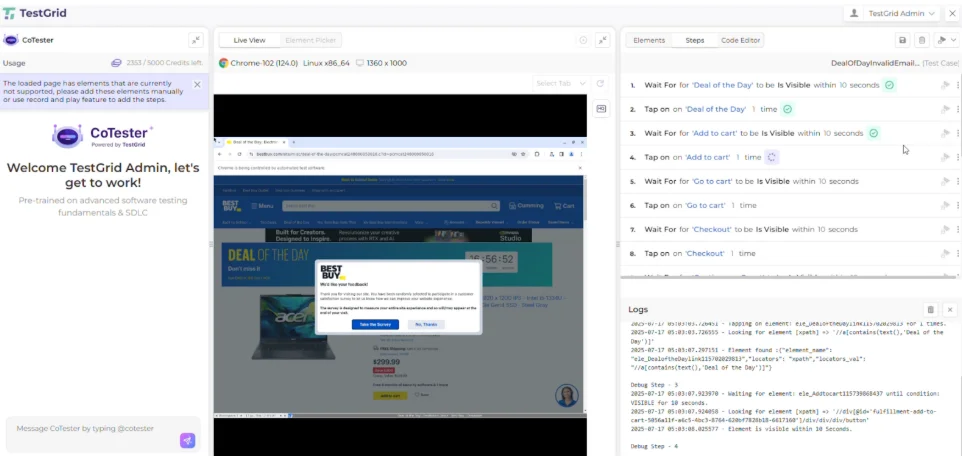
CoTester flags issues during execution and provides detailed logs and step-level visibility to support faster debugging. Each test is linked back to its originating requirement, making it easier to understand coverage and trace failures to specific product behaviors.
Playwright MCP: Run-level reports with AI-assisted debugging
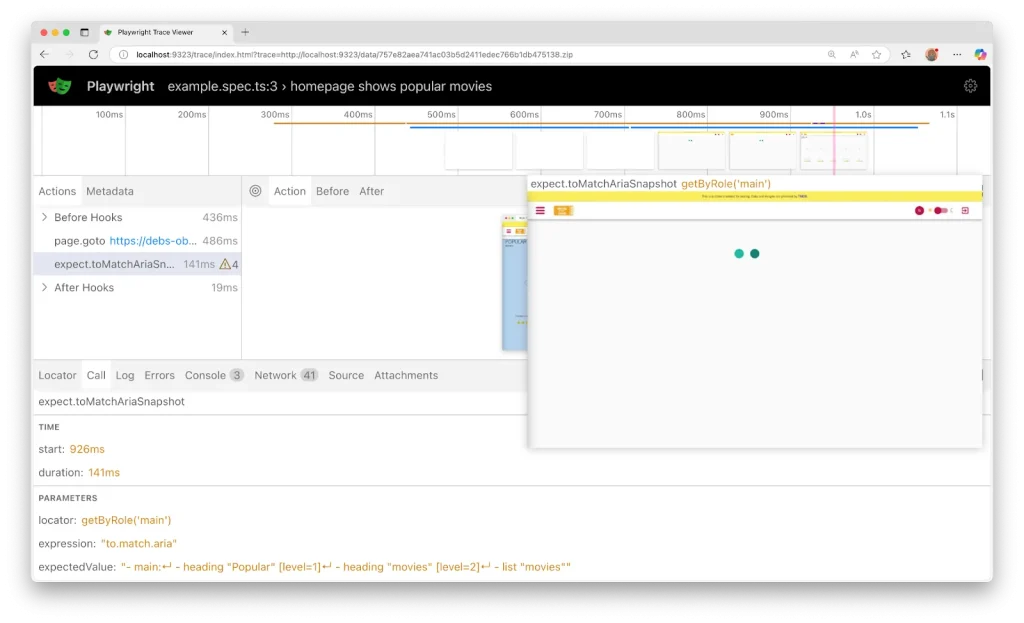
Playwright provides an HTML report with pass/fail status, execution time, error messages, stack traces, network requests, console logs, and a step-by-step breakdown for each test.
The trace viewer records every click, network request, and DOM snapshot in a run, giving you a full timeline you can inspect frame by frame.
Deployment and Execution
CoTester: TestGrid infrastructure, cloud or on-prem
CoTester supports cloud and on-prem deployments, allowing your team to operate within your own environment while maintaining full control over your data and test assets. Each deployment is isolated, ensuring your proprietary information doesn’t get shared across instances.
You can schedule test runs at the times that align with your delivery cadence. This includes nightly builds, weekly regressions, or right before a major release.
Playwright MCP: Self-managed, Node.js-based pipeline integration
Playwright MCP requires Node.js 18 or later to function correctly.
Your team manages browser environment setup, CI/CD integration, parallel runs, and infrastructure. Playwright integrates cleanly into most CI systems familiar to Node.js-based pipelines, and parallel execution is supported by running multiple test workers that launch separate browser contexts or instances.
It connects to MCP-compatible clients such as VS Code extensions, Cursor, Windsurf, Claude Desktop, and Goose. For cloud-scale parallel execution and CI-connected validation, Azure App Testing provides a managed hosting option. Run timing is determined by your CI configuration.
Enterprise Integrations
CoTester: Native enterprise platform support with security controls
CoTester integrates with tools like Jira for requirement ingestion and supports CI/CD workflows through platforms such as GitHub Actions, Jenkins, and Azure DevOps.
It can be used to test workflows across enterprise platforms such as Salesforce, ServiceNow, and more in addition to modern web applications.
Playwright MCP: CI/CD and coding agent integration
Playwright MCP works with CI systems that support running Node.js-based workflows, including GitHub Actions and Jenkins. GitHub Copilot’s Coding Agent has Playwright MCP built in, enabling it to open a browser, interact with your application, and verify changes in real time after code is generated.
Total Cost of Ownership
CoTester: AgentRx absorbs maintenance, teams focus on coverage
AgentRx handles the most common source of test failures at execution time, i.e., broken locators. Your engineering effort shifts from repairing broken tests toward defining test coverage and discovering defects.
CoTester doesn’t use your uploaded data to train its AI model. Whatever your team uploads or shares on the platform remains under your control. Early adopters report up to 80% faster regression cycles and over 90% reduction in test creation and maintenance time.
Playwright MCP: Maintenance surface grows as the application scales
Engineering effort with Playwright MCP is ongoing. Every time a UI change breaks a test, your team updates the script manually.
If your team is small, your test suite is focused, and your engineers have capacity for that work, the cost stays manageable. As your application scales, the maintenance surface grows with it.
Pricing: Playwright MCP vs CoTester
CoTester
- CoTester Starter Package: Starts at $199 per seat/month (minimum 4 seats; includes 4 devices/browsers and 5,000 tokens)
- CoTester Growth Package: Custom pricing (includes all Starter features + marketplace integrations)
Playwright MCP
- It’s a free and open-source software developed by Microsoft. There are no licensing fees to use the MCP server itself. However, you’ll encounter indirect costs related to the AI models and infrastructure used to run it.
Limitations
No testing approach is without trade-offs. While both CoTester and Playwright MCP offer strong capabilities, their limitations reflect fundamentally different design choices.
CoTester
- Some features (like extended mobile support or deeper integrations) are currently in development
Playwright MCP
- Because actions are generated through AI reasoning rather than fixed scripts, test runs may vary. This can introduce unpredictability in CI/CD environments and make failures harder to debug.
- Execution is slower compared to traditional automation, as each step requires model inference. It also depends on properly configured environments and may have limitations in certain setups (e.g., browser support in containerized environments).
Playwright MCP Is Capable. CoTester Is Built for Scale.
CoTester and Playwright MCP are both capable tools. The decision comes down to what your team is trying to solve.
If your goal is scaling test coverage across a larger team, reducing the engineering effort that compounds with every release, and keeping automation stable as your application evolves, then CoTester may be suitable for your team.
If your automation is developer-led, your test suite lives in the codebase, and your engineers have the capacity to maintain it, Playwright MCP gives you fast, flexible browser automation with strong debugging tooling and clean CI integration.
This blog is originally published at TestGrid


Comments
Post a Comment